July 12, 2026
I built Sorty for data preparation, because you're only as good as your data
When I was first learning Machine Learning, one of the courses I was taking had a throwaway line: only about 5% of your time in ML is spent training models.
With the size and compute time needed to train models nowadays, this sounds incredibly off, but it holds true when it comes to describing “hands-on” development time. Most of that hands-on time is spent researching the problem, wranglin’ data, and working through the implementation trade-offs of latency and accuracy.
And of course: your model is only as good as the data you feed it: GIGO always. The nature of the computer vision field, as with many others, means that a human in the loop is still quite necessary when curating new datasets. While I absolutely love the work that the team at Roboflow is doing, I still had notable moments of friction when using their platform to build a dataset for my latest pose estimation project, whose dev post will also be coming soon.
As I’m sure many others have felt: I really wanted to get ahead of myself with training a model, but I recognized it would be far more valuable to build out a tool to accelerate my future CV project development and ensure I was going to be working with datasets I felt 100% confident in. I wanted to work through the problem set myself and thoroughly consider the work needed to curate a solid dataset, and consequently, what tooling, UI, and automation could accelerate that process.
So, mostly for fun, I built my own, entirely local, data preparation tool, called Sorty, based on the features I appreciated in Roboflow, plus some niceties of my own, and reusing lots of the existing code I wrote for an earlier project of mine: “prompt2dataset”, which is a CLI tool and library for generating datasets from text prompts, powered by an LLM.
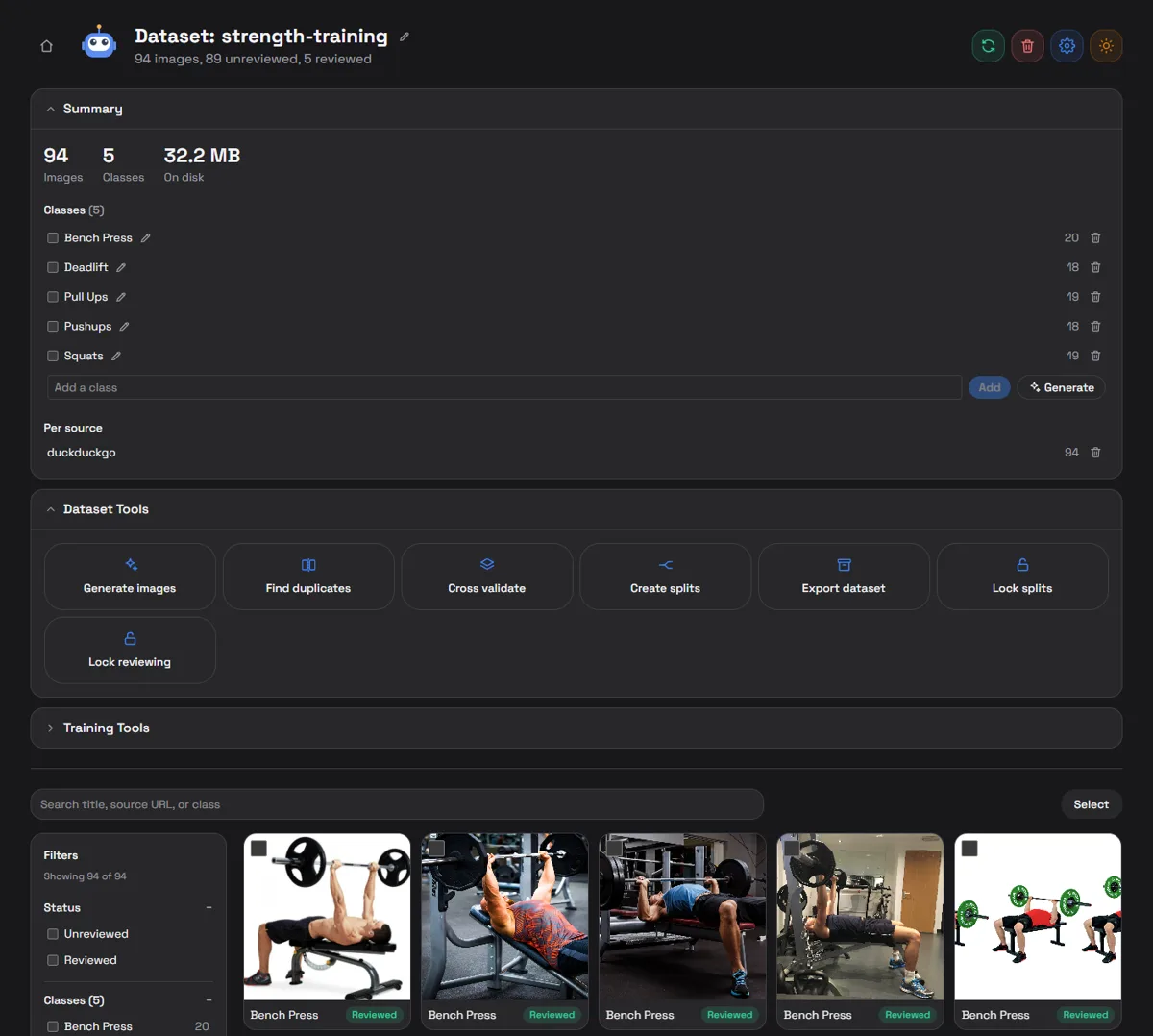
You get easy dataset generation pulling from online sources or can drag and drop your own dataset into it as well: it works with any dataset structured as a parent directory containing subdirectories for each class, or even with existing train/valid/test split folders.
I built in tools for rapid cleaning, cropping, flipping, and classification, and tastefully built-in ML features for data cleaning and preliminary model training. You can direct an existing local data collection pipeline into the “datasets” folder too and sync to the frontend for easy live reviewing.
I drew on my experiences so far with training models to ensure it was very engineer friendly, though there are still plenty of features I think could make it even better: More ingestion sources, data augmentation trialing, and deeper model training and fine-tuning support to build models that are closer to production-quality, with the core goal being to easily identify core data issues before investing time and resources into more intensive training pipelines.